





If you work with APIs, web applications, or artificial intelligence, you have probably used JSON. It is one of the most common formats for exchanging structured data between applications.
But as AI tools become more popular, developers are looking for ways to send structured information to large language models (LLMs) without wasting tokens. This is where TOON, or Token-Oriented Object Notation, comes into the picture.
TOON offers a compact, human-readable way to represent JSON data. Instead of repeating object keys and using braces throughout a dataset, it can describe repeated records in a table-like format.
So, which format is better: JSON or TOON?
The answer depends on what you are building. JSON remains a strong choice for APIs, data storage, and application interoperability. TOON can be useful when you want to reduce the token overhead of sending structured data to an AI model.
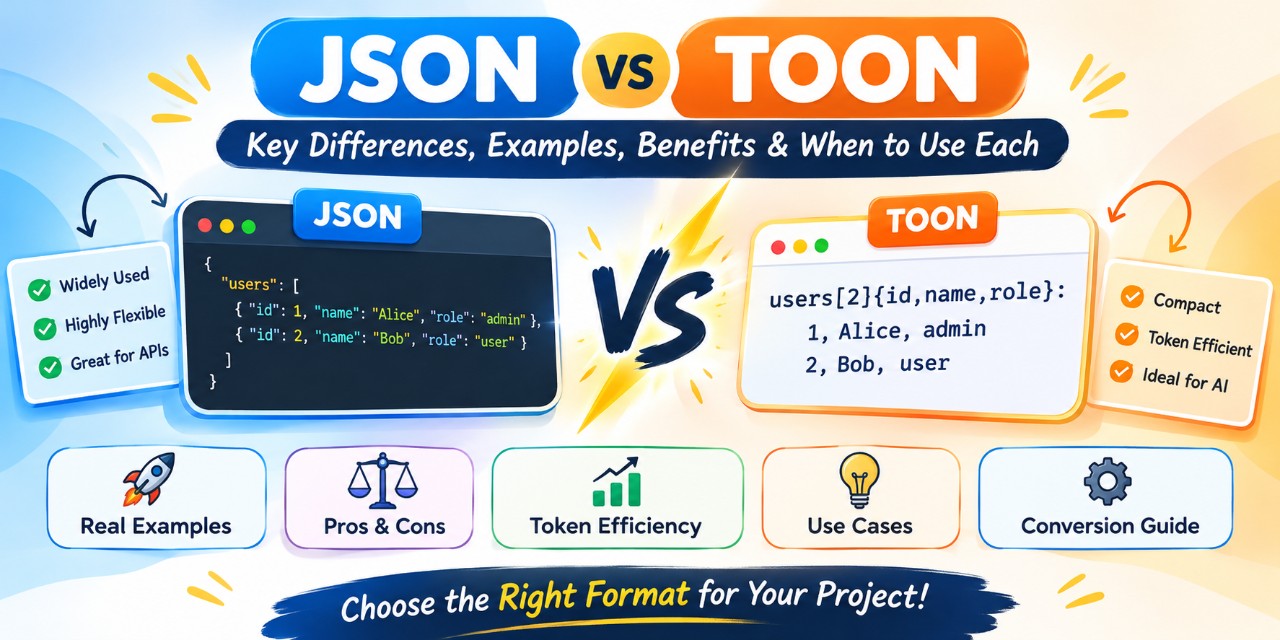
In this guide, we will compare JSON vs TOON with simple examples, explain their advantages and limitations, and help you choose the right format for your project.
What Is JSON?
JSON stands for JavaScript Object Notation. It is a text-based data format used to represent objects, arrays, strings, numbers, booleans, and null values.
Although JSON originated from JavaScript, it is language-independent and supported by programming languages such as Java, Python, C#, PHP, Go, and TypeScript.
Developers commonly use JSON for:
-
REST API requests and responses
-
Configuration files
-
Application data exchange
-
Database records and exports
-
Web and mobile applications
-
Communication between frontend and backend services
JSON example
Imagine an application that stores information about two users.
{
  "users": [
    {
      "id": 1,
      "name": "Alice",
      "role": "admin"
    },
    {
      "id": 2,
      "name": "Bob",
      "role": "user"
    }
  ]
}
This structure is straightforward. Each user is represented as an object, and the users property contains an array of those objects.
The keys make the data easy to understand and access in code. However, when a dataset contains thousands of records with identical fields, the same keys and structural characters must be repeated many times.
That repetition can increase the number of tokens an AI model needs to process.
What Is TOON Format?
TOON stands for Token-Oriented Object Notation. It is a compact, indentation-based format designed to represent the JSON data model with less repeated syntax, particularly when working with large language models.
TOON combines indentation for nested structures with table-like rows for arrays of objects that share the same fields.
Rather than writing every property name for every record, TOON can declare the field names once and represent each record as a row.
TOON example
The same user information can be represented as follows:
users[2]{id,name,role}:
  1,Alice,admin
  2,Bob,user
Let's break down the syntax:
-
usersis the name of the array. -
[2]indicates that the array contains two records. -
{id,name,role}declares the fields in each record. -
Each following line contains the values for one user.
This format avoids repeating id, name, and role for every record.
The result is a more compact representation that can be particularly useful when sending repeated structured data to an AI model.
One important distinction: TOON is not a replacement for JSON's underlying data model. It is an alternative way to encode that model for specific workflows.
JSON vs TOON: Quick Comparison
| Feature | JSON | TOON |
|---|---|---|
| Full form | JavaScript Object Notation | Token-Oriented Object Notation |
| Main purpose | General-purpose data exchange | Compact representation of JSON-shaped data |
| Syntax | Braces, brackets, and quoted keys | Indentation and compact field declarations |
| Repeated records | Repeats keys in each object | Can declare fields once |
| AI prompt efficiency | Depends on data structure | Can reduce token usage for suitable datasets |
| Human readability | Familiar and widely understood | Compact, but requires learning its syntax |
| API compatibility | Widely supported | Requires a compatible encoder or decoder |
| Nested objects | Naturally supported | Supported through indentation and field grouping |
| Validation ecosystem | Mature and widespread | Depends on implementation and specification support |
| Best use case | APIs, storage, application data | LLM prompts and repeated structured data |
The main difference: JSON prioritizes broad compatibility and familiar structure, while TOON focuses on representing suitable structured data with less repeated text.
JSON vs TOON With the Same Data
Let's use a practical example to understand how the two formats differ.
Imagine you are building an e-commerce application and need to send product information to an AI assistant.
Example 1: Product data in JSON
{
  "products": [
    {
      "id": 101,
      "name": "Wireless Mouse",
      "price": 799,
      "stock": true
    },
    {
      "id": 102,
      "name": "USB Keyboard",
      "price": 1299,
      "stock": true
    },
    {
      "id": 103,
      "name": "Laptop Stand",
      "price": 999,
      "stock": false
    }
  ]
}
JSON represents each product as an independent object. This makes it easy to access individual fields and integrate the data with application code.
However, each product repeats the same four property names.
Example 2: The same product data in TOON
products[3]{id,name,price,stock}:
  101,Wireless Mouse,799,true
  102,USB Keyboard,1299,true
  103,Laptop Stand,999,false
Here, the field names are declared once, and the product records are represented as rows.
Both examples represent the same product information. When the data contains many objects with identical fields, TOON can reduce the amount of repeated syntax.
This does not mean every TOON document will be smaller than its JSON equivalent. The actual difference depends on the structure, field names, string values, and serialization settings.
Why Is TOON Useful for AI Applications?
Large language models process text in units called tokens. A token might represent a word, part of a word, punctuation, or another piece of text.
Many AI services calculate input and output costs based on token usage. Tokens can also consume a portion of the model's available context window.
For this reason, reducing unnecessary text in AI prompts can be useful.
TOON addresses one specific source of overhead: repeated structural information in JSON-like datasets.
1. Reduced token overhead
Consider an AI application that sends hundreds of product records to a model.
With JSON, each object typically repeats its field names. With TOON, the fields can be declared once for a uniform array.
This can reduce token usage for suitable datasets, although the exact savings must be measured with the tokenizer used by your target model.
2. More room for useful information
If the encoded data uses fewer tokens, more of the available context window may remain for instructions, questions, conversation history, or additional records.
This can be helpful for retrieval-augmented generation (RAG), AI-powered search, product recommendations, and data analysis.
3. Less repetitive text
TOON can make repeated records more compact and easier to scan as a table.
For example, a list of customers, products, transactions, or search results can be represented using one field declaration followed by multiple rows.
4. A practical translation layer
You do not need to abandon JSON throughout your application to benefit from TOON.
You can continue using JSON internally, convert suitable data to TOON before sending it to an LLM, and decode TOON back to JSON when necessary.
This approach lets you experiment with token-efficient AI prompts without redesigning your entire application.
Does TOON Always Use Fewer Tokens Than JSON?
No. This is one of the most important things to understand when comparing JSON vs TOON.
TOON is designed to reduce repetitive syntax, but its efficiency depends on the input data.
It often performs well when:
-
Arrays contain many objects with identical fields.
-
Records contain several fields.
-
Property names would otherwise be repeated many times.
-
The dataset can be represented in a compact tabular structure.
The benefits may be smaller when:
-
The dataset contains only a few fields or records.
-
Objects have different structures.
-
The data contains deeply nested or irregular objects.
-
The JSON is already minified.
-
A simpler format, such as CSV, is sufficient for flat tabular data.
For example, converting a small object such as {"name":"Alice"} to TOON may not provide a meaningful benefit.
For a large collection of uniform records, however, the difference can become more significant.
Practical tip: Compare token counts using your actual dataset and the tokenizer associated with your AI model. Do not assume a fixed percentage of savings for every project.
JSON vs TOON: Advantages and Disadvantages
Advantages of JSON
JSON remains one of the most practical data formats for everyday software development.
Benefits:
Supported by almost every modern programming language.
Widely used in REST APIs and web applications.
Easy to parse, generate, validate, and debug.
Works naturally with nested objects and arrays.
Supported by mature development tools and libraries.
Familiar to developers across different technology stacks.
Limitations:
Repeated property names can increase the size of large datasets.
Verbose formatting can add unnecessary whitespace.
Sending large JSON payloads to AI models may use more tokens than a suitable compact representation.
Advantages of TOON
TOON is particularly interesting for developers working on AI applications.
Benefits:
Can reduce repeated property names in uniform arrays.
Offers a compact, readable representation of structured data.
Uses explicit array lengths and field declarations.
Can help reduce input-token usage in suitable LLM workflows.
Supports conversion between TOON and the JSON data model.
Limitations:
Less familiar than JSON for many developers.
Requires compatible tooling to encode and decode the format.
Token savings depend on the structure and tokenizer.
May be less efficient for deeply nested or irregular data.
Is not a drop-in replacement for JSON in existing APIs.
TOON is best viewed as a specialized option rather than a universal upgrade.
How to Convert JSON to TOON
You can convert JSON data into TOON using a compatible implementation.
For JavaScript and TypeScript developers, the official TOON project provides encoding and decoding functionality, along with command-line tools.
Step 1: Install the tools
If Node.js and npm are installed on your system, you can use the official command-line package through npx:
npx @toon-format/cli input.json -o output.toonThis command reads input.json and writes the encoded data to output.toon.
Check the project's documentation for the latest installation requirements and command options.
Step 2: Inspect the converted data
Open output.toon in a text editor.
For a uniform array, you may see output similar to:
users[2]{id,name,role}:
  1,Alice,admin
  2,Bob,user
The exact output depends on the input and encoder settings.
Step 3: Convert TOON back to JSON
To decode the TOON file, run:
npx @toon-format/cli output.toon -o restored.jsonYou can then inspect restored.json and compare its data with the original file.
Step 4: Validate before using the result
For production applications, test conversion with representative data, including nested objects, empty arrays, null values, special characters, and mixed record structures.
Make sure the encoder and decoder preserve the information your application depends on.
Official resources:
TOON implementation: https://github.com/toon-format/toon
TOON specification: https://github.com/toon-format/spec
Should You Use JSON or TOON for REST APIs?
For most public-facing REST APIs, JSON remains the safer default.
JSON is already supported by web browsers, API clients, backend frameworks, monitoring systems, and many third-party integrations.
Using TOON in an existing API could require additional client-side and server-side support. It may also create compatibility issues if consumers expect standard JSON responses.
However, TOON can be useful behind the scenes.
For example, a backend service could retrieve product records from a database as JSON, convert the records to TOON, and send them to an AI model for summarization or recommendations.
The API itself can continue returning JSON to ordinary clients.
This separates the needs of application interoperability from the needs of AI prompt efficiency.
JSON vs TOON for RAG and AI Agents
Retrieval-augmented generation, commonly called RAG, combines a language model with information retrieved from external sources.
An AI assistant might retrieve relevant documents, customer records, product details, or database results before generating an answer.
The retrieved information must then be placed into the model's context.
When retrieval produces a large array of similar records, TOON may help reduce the structural overhead of the prompt.
For example, a product recommendation system might send the following information:
products[3]{name,price,rating}:
  Wireless Mouse,799,4.4
  USB Keyboard,1299,4.6
  Laptop Stand,999,4.2
The model can use the declared fields to interpret the rows.
This can be useful for:
AI shopping assistants
Customer support automation
Database question-answering systems
AI agents that process structured tool results
Search and recommendation systems
Large-scale document and record analysis
However, smaller prompts do not automatically guarantee better answers. Model behavior, prompt design, data quality, and the selected tokenizer still matter.
Always test both formats with your actual tasks before making a production decision.
JSON vs TOON vs CSV: Which Format Is Best?
JSON and TOON are not the only choices for structured data. CSV is also widely used for spreadsheets, reports, and flat datasets.
| Requirement | Recommended format |
|---|---|
| Public REST APIs | JSON |
| Browser-to-server communication | JSON |
| Nested application data | JSON |
| Repeated records sent to an LLM | Consider TOON |
| Flat spreadsheet exports | CSV |
| Simple tabular datasets without nesting | CSV |
| AI prompt token optimization | Benchmark TOON and compact JSON |
CSV can be smaller for simple tables because it does not need to represent nested objects or explicitly declare the JSON data model.
TOON offers more structure than plain CSV while still using compact rows for uniform records.
The right choice depends on whether your priority is interoperability, data complexity, token usage, or simplicity.
Common Mistakes When Comparing JSON and TOON
Before choosing a format, avoid these common assumptions.
Mistake 1: Assuming TOON is always better than JSON.
TOON is designed for particular data patterns. Complex, irregular objects may be represented more efficiently in JSON.
Mistake 2: Assuming fewer characters always mean fewer tokens.
Tokenization depends on the model's tokenizer. Measure actual token counts rather than comparing character length alone.
Mistake 3: Replacing every API response with TOON.
Existing API consumers generally expect the format documented by the API. Do not change a public response format without considering compatibility.
Mistake 4: Ignoring conversion and processing overhead.
Encoding and decoding introduce extra work. For small datasets, that work may outweigh any practical advantage.
Mistake 5: Assuming fewer tokens guarantee lower total cost.
Token usage is only one part of application performance. Evaluate encoding time, model latency, accuracy, and total request cost as well.
Frequently Asked Questions
1. What is the main difference between JSON and TOON?
JSON is a general-purpose format for exchanging structured data. TOON is a compact representation of the JSON data model designed to reduce repeated syntax, particularly in AI prompts containing uniform arrays of objects.
2. Is TOON better than JSON?
Neither format is universally better. JSON is usually preferable for APIs, application interoperability, and general data exchange. TOON may be preferable when repeated structured records create unnecessary token overhead in LLM workflows.
3. Can TOON reduce AI token costs?
Yes, it can reduce input-token usage for suitable datasets. Actual savings depend on the data structure, encoding options, and model tokenizer. Measure the difference before estimating cost reductions.
4. Can I use TOON with Python or Java?
Yes, provided you use a compatible implementation for your language and validate its support for the TOON specification version you need. The official project maintains JavaScript and TypeScript tooling, while implementations for other languages may vary in maturity.
5. Is TOON a replacement for JSON APIs?
Not generally. JSON remains the established choice for most public APIs. TOON is more suitable as an optional encoding layer for workflows that benefit from compact structured prompts.
6. Is TOON similar to YAML?
Both formats use indentation to represent structure, but their syntax and goals differ. TOON also supports explicit array lengths and compact tabular representations for uniform records.
7. Is TOON more efficient than CSV?
Not necessarily. CSV can be smaller for simple, flat tables. TOON is useful when you need a structured representation that preserves the JSON data model, including nested information.
8. How can I check whether TOON saves tokens?
Take a representative dataset, encode it as both JSON and TOON, and count tokens with the tokenizer used by your target model. Also test decoding, model output quality, and end-to-end latency.
Final Verdict: JSON or TOON?
JSON remains an excellent default for APIs, application development, and exchanging structured information between systems. Its broad compatibility and mature ecosystem make it difficult to replace for general-purpose use.
TOON introduces a useful alternative for AI workflows where repeated object keys and structural syntax add unnecessary token overhead.
If you are building an AI agent, an LLM-powered search system, or a RAG application that processes many similar records, it is worth testing TOON against your existing JSON prompts.
If your main requirement is a stable public API or conventional application data exchange, JSON is usually the better choice.
The most practical approach is to use JSON as your application's standard data format and introduce TOON selectively where benchmarks demonstrate a real benefit.
That way, you can optimize AI token usage without sacrificing compatibility or adding complexity where it is not needed.
Discover more from 9Mood
Subscribe to get the latest posts sent to your email.





0 Comments